
Your photos, music and videos, finally in order.
Hepta Media finds duplicates across your computer, OneDrive, Dropbox, Google Drive and iCloud — even when the same photo, song or movie is saved in a different format. Then it sorts everything into folders that make sense, converts what won’t play, and turns recordings into text.
- DuplicatesSame photo as HEIC and JPG · same song as MP3 and FLACTo review
- Cloud drivesOneDrive, Dropbox, Google Drive, iCloudIncluded
- OrganizePictures by year, Music by artist and albumReady
- ConvertHEIC to JPG · HEVC to MP4Ready
- TranscribeInterviews and voice memos to textOffline
Everything a growing media library needs,
in one app.
Photos on the laptop, copies in OneDrive, the same album ripped twice, a phone backup nobody sorted. Hepta Media looks at all of it together and helps you clean it up safely.
Duplicates, really found
Hepta Media looks at the picture, the sound and the frames, not just the file name.
- Exact copies anywhere on your drives
- HEIC and JPG, MP3 and FLAC, MKV and MP4
- Similar photos and resized copies
Your cloud drives, too
Cloud folders show up on their own, and online-only files can be skipped so a scan never downloads your whole cloud.
- OneDrive, Dropbox, Google Drive, Box
- iCloud Drive and Apple Photos
- Your Photos library is only ever read
Organized the human way
Sort a messy folder into folders that make sense, and see every move before it happens.
- Pictures by year and month
- Music by artist and album
- Preview, copy instead of move, undo
Convert anything
Turn files that won’t open into ones that play everywhere. Originals are never changed.
- iPhone HEIC photos to JPG
- HEVC video to MP4 or MKV
- FLAC to MP3 and more
Transcribe recordings
Interviews, meetings, lectures and voice memos become searchable text and subtitles.
- Speaker labels and timestamps
- About 30 languages
- Runs on your computer
Compare before you clean up
See copies side by side and keep the best one: highest resolution, lossless audio or best bitrate.
- Keep the oldest, newest or a folder
- Recycle Bin, Trash or a review folder
- Fingerprints remembered for fast rescans
Made to clean up, never to lose a file.
Most duplicate finders compare file names and sizes, then delete in bulk. Hepta Media compares what is actually in the file, shows you what it found, and only ever moves things somewhere you can get them back.
From “where did all these copies come from” to a tidy library.
The same five steps whether it’s one phone backup or ten years of photos spread over several drives.
Pick places
Choose folders, drives and cloud folders. Hepta Media finds your cloud drives for you.
Scan
Photos, music and videos are fingerprinted on your computer. The next scan takes seconds.
Review
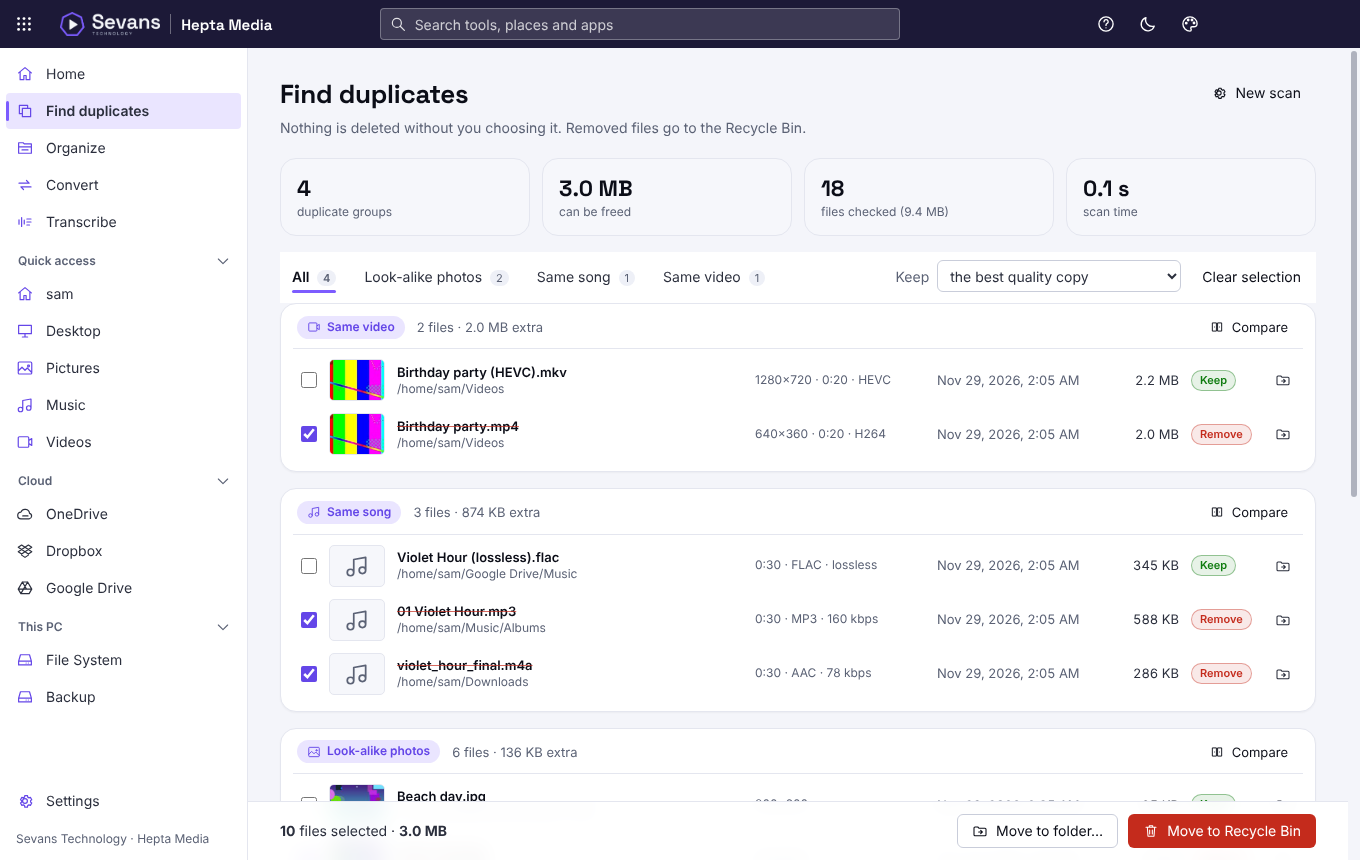
Groups of copies with the one to keep already marked. Compare any two side by side.
Clean up
Send the rest to the Recycle Bin, Trash or a review folder you can undo.
Organize
Sort what’s left into folders, convert what won’t play and transcribe recordings.
Every group, with the best copy marked.
Hepta Media suggests the copy to keep, or keep the oldest, the newest or the ones in a folder you choose. Check before anything moves.
- Photos, songs and videos in one list
- Side-by-side compare
- Works with huge libraries over several drives
Private transcription, built in.
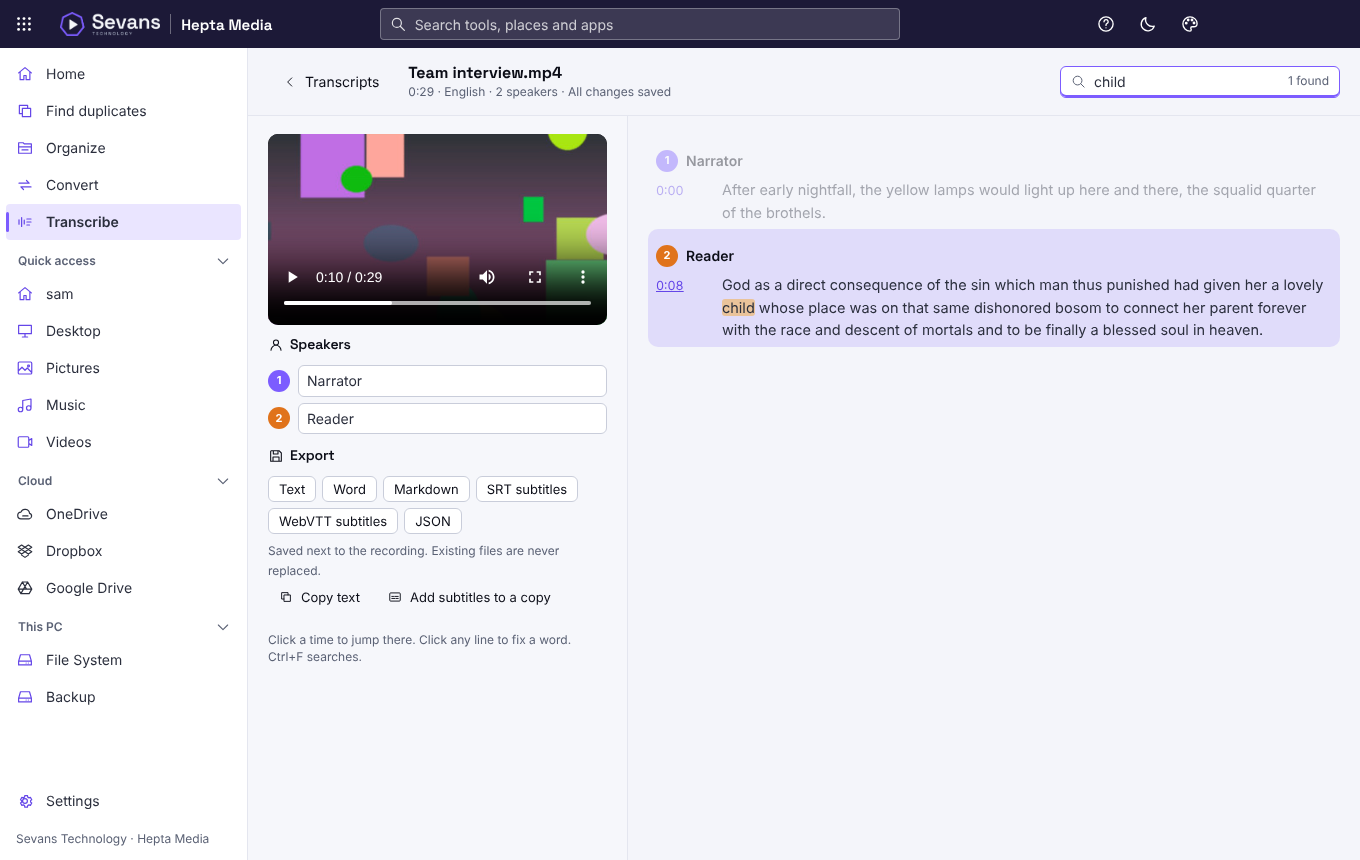
Drop in a recording or a video and get a transcript with timestamps and speaker names. Click any line to hear it, fix a word, search everything, then export.
- Four quality levels, from quick drafts to the most accurate model
- Detects the language, or translates to English
- Text, Word, Markdown, SRT, WebVTT or JSON
- Works offline after a one-time model download
One launcher for all your apps.
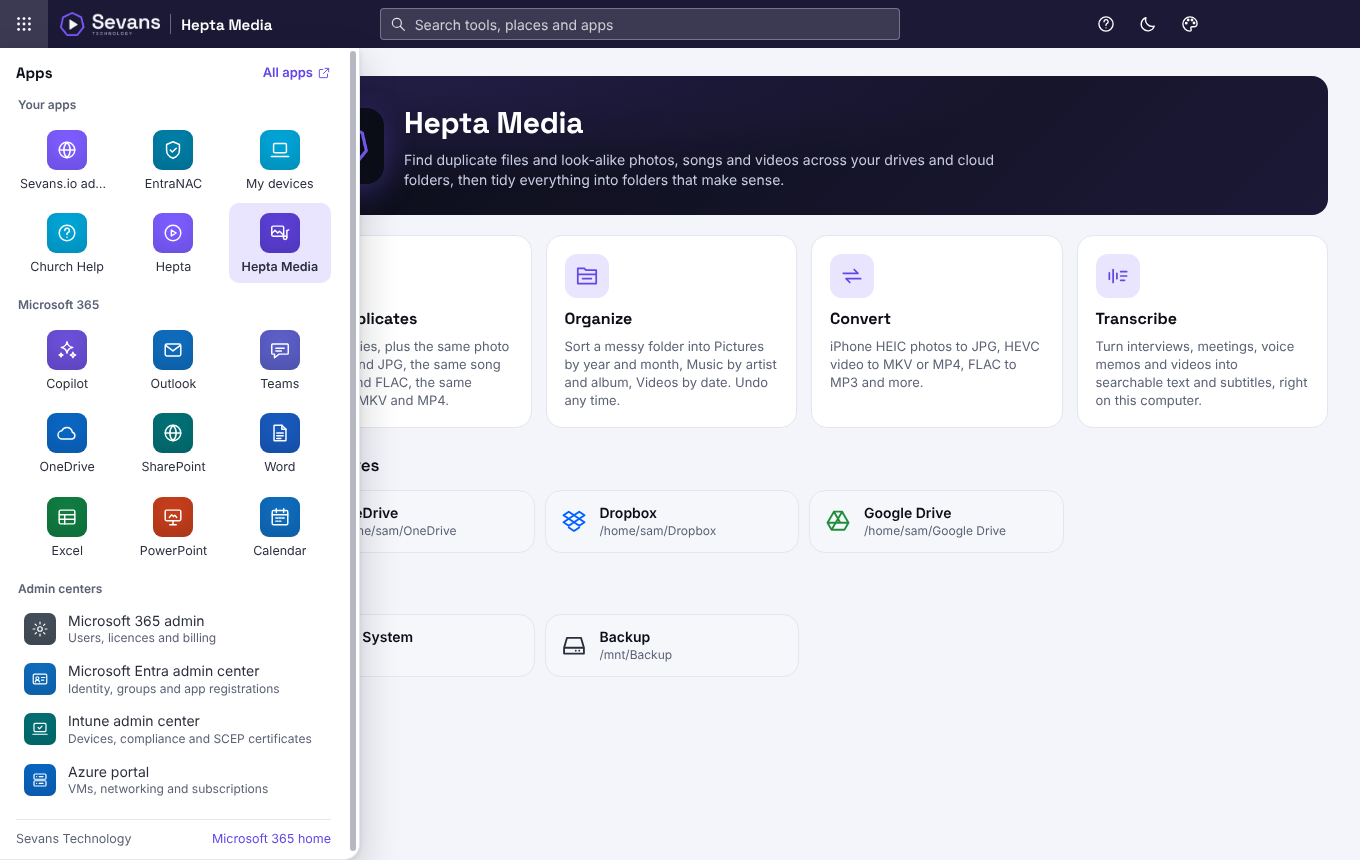
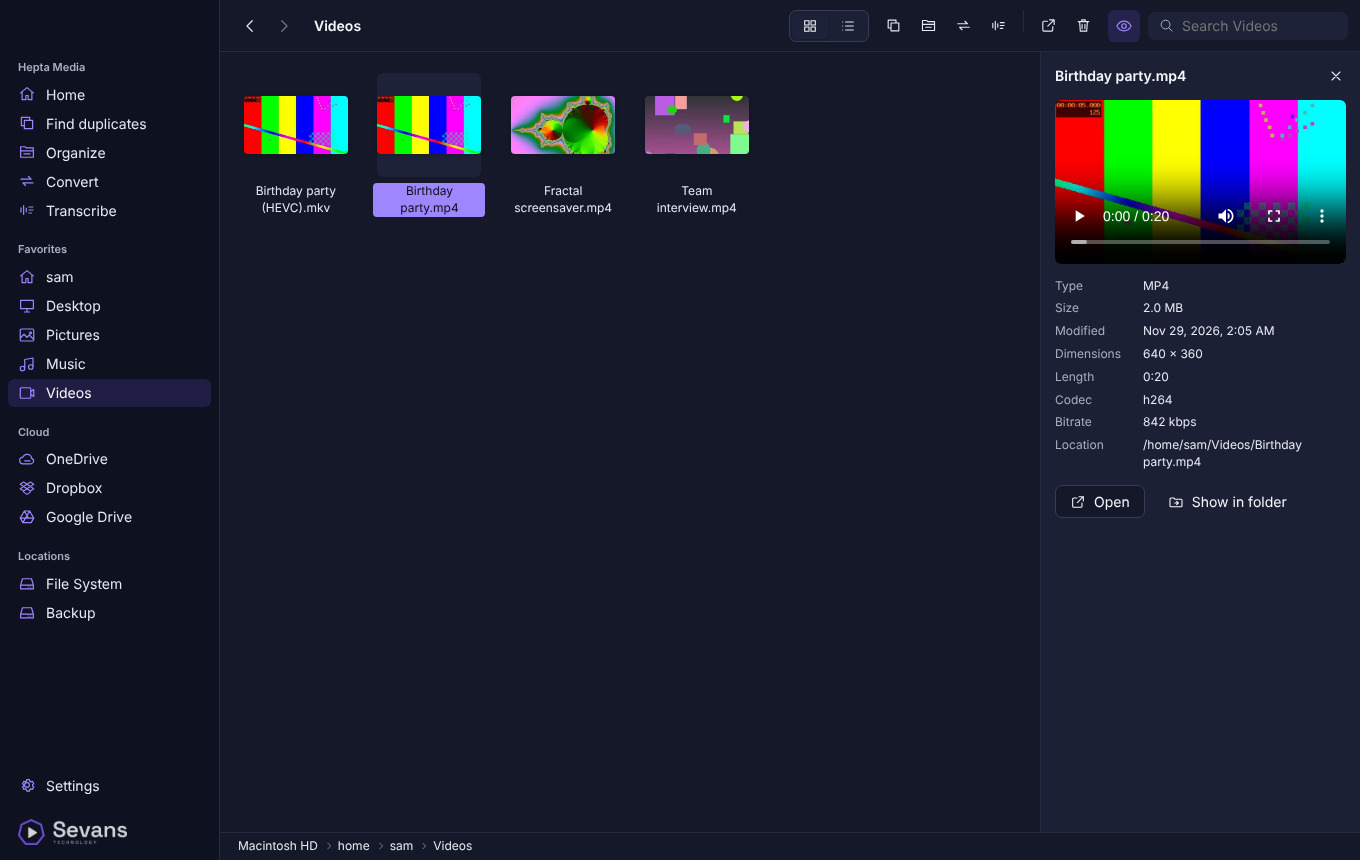
The same top bar, app launcher and menus as the other Sevans Technology apps, with light and dark mode and a color palette picker. Prefer File Explorer or Finder? Switch in Settings.
Free during the preview.
Installers for Windows and Mac are on the way. Everything in Hepta Media is included while it’s in preview.
Windows
Windows 10 and 11, 64-bit.
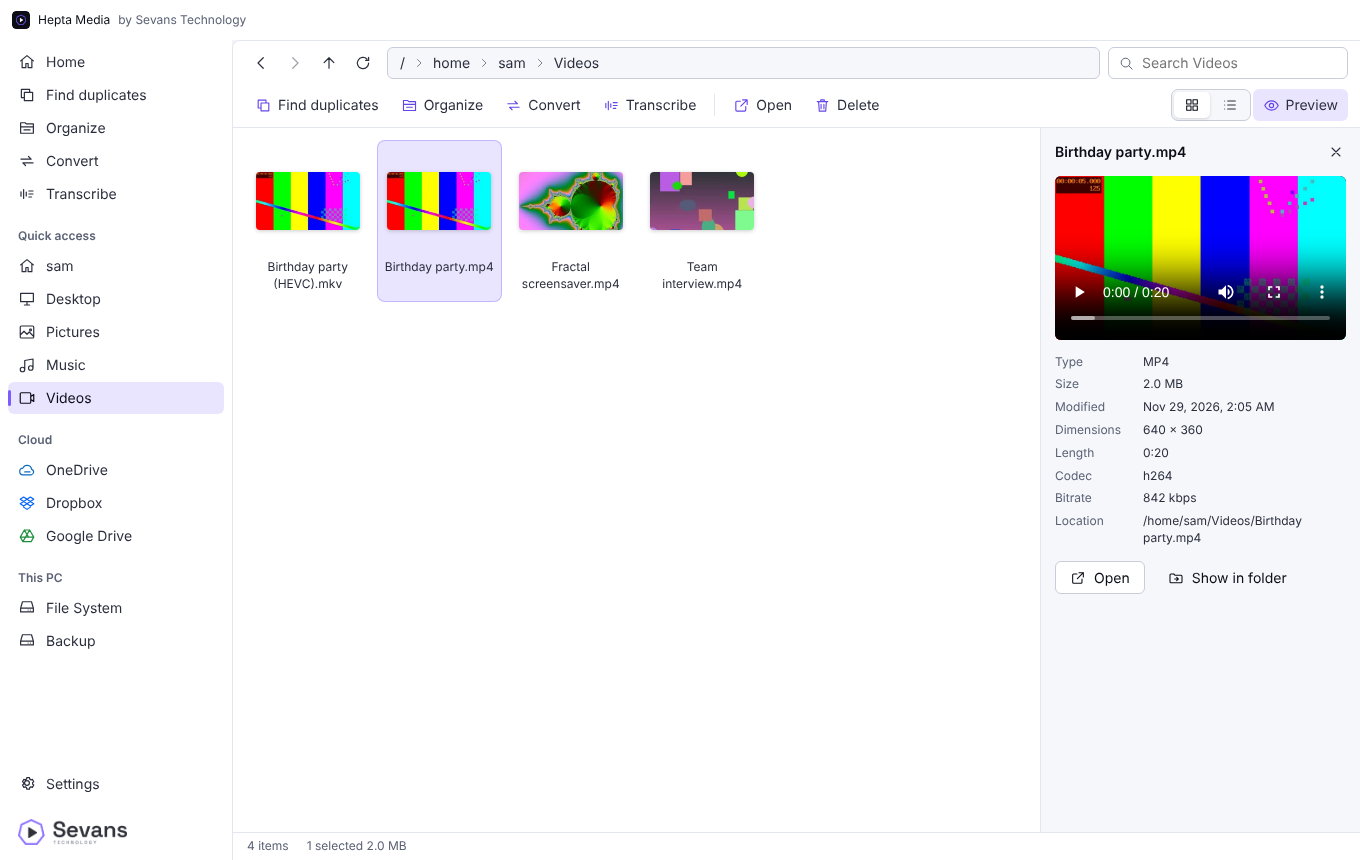
- File Explorer or Sevans Suite look
- OneDrive, Dropbox, Google Drive
- Recycle Bin for removed files
Everything included
Duplicates, organize, convert and transcribe.
- No account, no upload
- Speech models download once
- Updates during the preview
Mac
macOS 12 or later, Apple silicon and Intel.
- Finder or Sevans Suite look
- iCloud Drive and Apple Photos
- Trash for removed files
More from Sevans Technology.
Hepta Media is one of the tools Sevans Technology builds alongside its consulting work.
Hepta
Your own private media server: recordings and video streamed to phones and every major TV platform, with cloud backup.
hepta.stream →Pulse TV
Lobby and room signage for Apple TV, Fire TV and Google TV, managed from one place.
sevans.io →EntraNAC
Secure Wi-Fi and wired access on Microsoft Entra ID, with guests and devices on their own networks.
sevans.io →Questions, answered.
Does Hepta Media upload my files?
No. There is no account and no upload. Scanning, matching, converting and transcribing all happen on your computer.
Can it delete something I wanted to keep?
It never deletes a file outright and never overwrites one. Removed copies go to the Recycle Bin or Trash, or to a review folder you can undo.
Will scanning my cloud drives download everything?
No. Online-only files can be skipped, so a scan only reads what is already on your computer.
Is my Apple Photos library safe?
Yes. Hepta Media only ever reads your Photos library and never writes inside it. Converted or exported files go to a separate folder.
Does transcription need the internet?
Only once, to download the speech model you choose. After that it works offline.
How much does it cost?
Hepta Media is free during the preview.